Define a segment you can test
A cold email experiment answers one question about one group of companies. If the group is vague, so is the answer.
This chapter turns an ICP into a segment you can test: narrow enough that every company has the same problem, big enough for your sample, and made only of companies nobody has emailed. Then it covers sourcing, verification, enrichment and qualification, so every send counts toward the verdict.
A testable ICP is a hypothesis
An ICP written for a pitch deck says "B2B SaaS companies". That is not something you can test. Those companies have different buyers, different budgets and different problems. If a campaign to them gets no replies, you can't tell which part was wrong.
A testable ICP is narrow enough that every company in it has the same problem. Not "B2B SaaS", but "bootstrapped B2B SaaS, 2–20 people, no sales hire". Now the founder is doing sales alone, and your offer either helps with that or it doesn't.
Write the full hypothesis as three parts: segment × persona × offer. The segment is the kind of company. The persona is the person who feels the problem. The offer is what you promise them (chapter 3). Change any one of the three and you are running a different experiment.
Segment: the company
Pick attributes that change whether the problem exists:
- What they sell and to whom — "Scheduling software for dental clinics" says more than an industry code.
- Team size — A 5-person team and a 200-person team solve the same problem in different ways.
- Go-to-market motion — Self-serve, sales-led, or both. It decides who owns revenue and what hurts.
- Funding stage — Bootstrapped and venture-backed teams spend differently.
- Tech stack — If you integrate with a tool, only companies using it can buy.
- Location — Language, time zone and legal rules for cold email.
Persona: the person
Pick one role per experiment:
- Who feels the problem — At a 10-person company that is often the founder. At 100 people it may be a head of growth or RevOps.
- Who can say yes — Match seniority to the price. A small monthly tool can be bought by a manager; a larger contract needs someone with budget.
- Department — Sales, marketing, engineering, finance. Emailing two of them in one test mixes two personas.
- One contact per company — Your sample is companies. Emailing three people at the same company doesn't give you three answers.
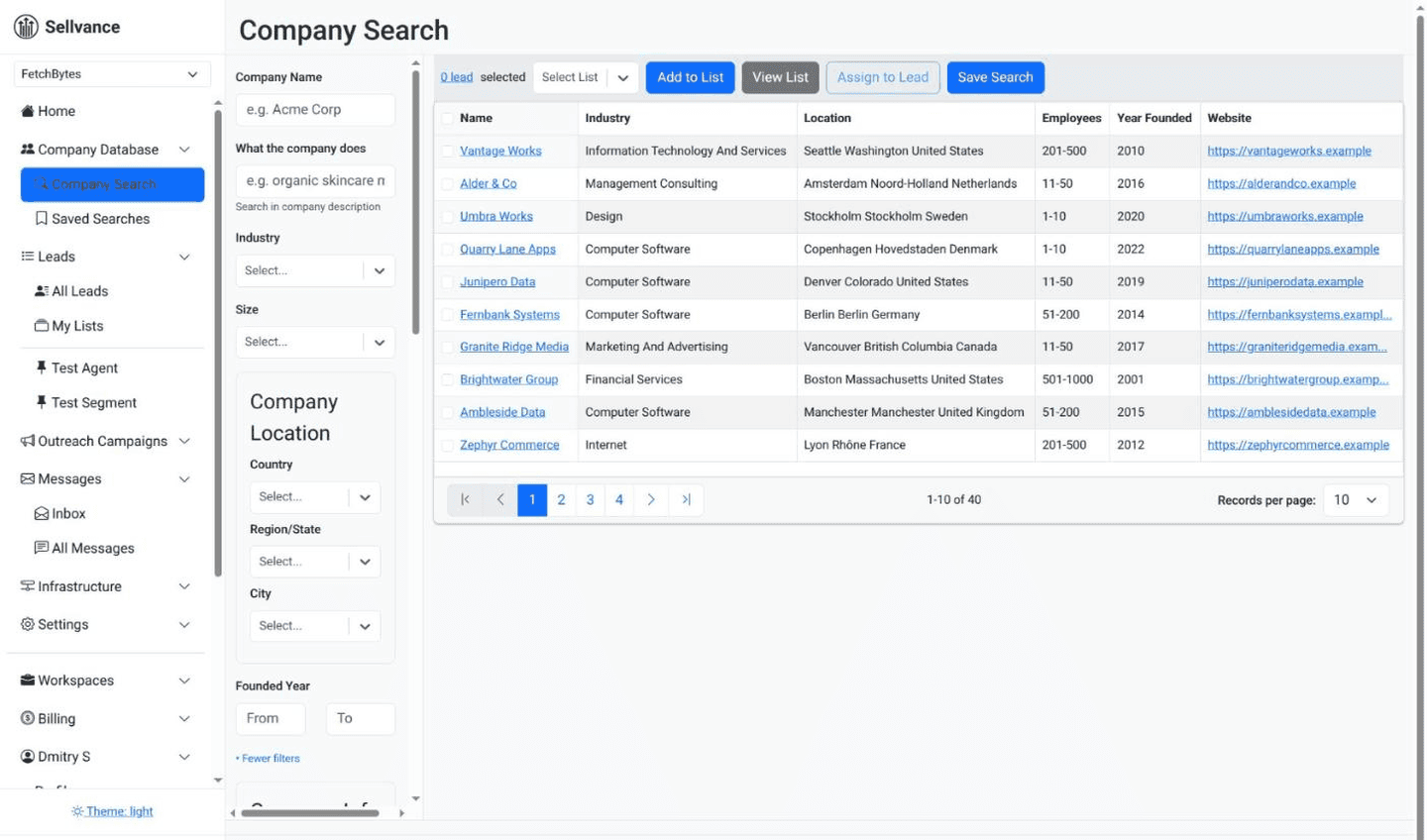
Sellvance searches a database of 9.5M companies by what they actually do, written in plain words, not just by industry codes. Describe the segment ("scheduling software for dental clinics") and add size and location filters to see who matches.
See ICP discoveryWhen cold outreach is the wrong channel
Cold outreach doesn't work for every ICP. Some audiences can't be reached this way at all, and no amount of copy fixes that. Check these six conditions before you size the segment or write a word.
If one of them is true for your ICP, the answer is already no. That's a real result: you found it out in an afternoon instead of six months.
| Condition | Why the channel fails | How to check |
|---|---|---|
| The ACV can't pay for the channel | A self-serve product at $20 a month can't pay for domains, mailboxes and the time it takes to handle replies. | Work out your break-even threshold (chapter 4). If it's above any reply rate you would honestly act on, stop. |
| The buyer doesn't read work email | Micro-business owners, developers, doctors and tradespeople rarely live in a work inbox. Silence tells you about the inbox, not the offer. | Ask a few customers where they'd notice a message from a stranger. If it isn't their work inbox, stop. |
| The persona is saturated | A VP of Sales or a CTO at a funded startup has filters, assistants and a learned reflex that bury cold email before anyone reads it. | Picture that person's inbox this week. If pitches arrive by the dozen, yours is one more. |
| There is no trigger | If nothing makes the problem urgent at a particular moment, the email always arrives at the wrong time. | Name the event that makes the problem pressing: a hire, a launch, a renewal. If you can't name one, stop. |
| The law requires prior consent | Where contacting a business requires opt-in first, the sample you can legally reach is zero. | Check the rules where your prospects are, not where you are. If consent is required, stop. |
| The value needs a demo | If the product can't be explained in about 80 words, replies say "didn't get it", not "no thanks". | Write the offer in 80 words and show it to someone outside your team. If they can't say it back, stop. |
The Experiment Playbook starts with these same six conditions as a hard gate: if one of them applies, you stop before designing anything. When none do, the free Experiment Planner works out what the experiment will take.
Read the playbook gateCheck the segment is big enough
An experiment needs a sample size decided before you send: usually tens to a few hundred companies, depending on your threshold (chapter 4 shows the numbers). Check that enough companies match before you write the copy or book the mailboxes.
Count What You Can Really Send
- Count companies that match the segment.
- Remove every company you have already contacted.
- Remove companies where you can't find the persona.
- Remove companies without a verified email for that person.
- Compare what's left to the sample size your experiment needs.
If It's Too Small
Don't pad the list. Adding "close enough" companies means you test a different, vaguer segment, and the verdict applies to neither.
- Narrow the question. A clear, strong result needs fewer sends to prove. Test the one offer you expect to clear your threshold by a wide margin.
- Change the metric. If a booked call is too rare to measure on this sample, measure something earlier, like a reply to a yes/no question about the problem.
A big segment has the opposite problem. Don't email all of it in one test. Take a random sample of the size you planned, and keep the rest fresh for the next experiment or for scaling once you have a "works" verdict.
The free Experiment Planner turns your price, conversion and cost per email into a threshold and a sample size. Run it before you build the segment, so you know how many fresh companies you need.
Open the Experiment PlannerUse fresh companies only
If a company already got an email from you, the next one isn't a cold first touch. They may have ignored you, unsubscribed, or replied "not now". The result then measures a second email, not your offer.
Exclude contacted companies at the company level, not the person level. A new contact at a company that already said no is not a fresh sample.
- Keep one list of everyone contacted — Across all campaigns and all mailboxes, including old tests and manual outreach.
- Exclude before every experiment — Not once at the start. Segments overlap, and last week's test used some of this week's companies.
- Retest on new companies — After a "doesn't work" verdict, change one thing and send to companies that never saw the first version.
- Deduplicate — The same person under two emails, or two people at the same company, both break the sample.
A Sellvance saved search has a rejected list. Companies in it never come back into your segment, so contacted and disqualified companies stay out of every new experiment automatically.
Explore DiscoverySourcing a precise segment
The goal of sourcing is not a big list. It is a list where every company fits the hypothesis. Two sources work well together: a company database for the base segment, and signals that show the problem is there now.
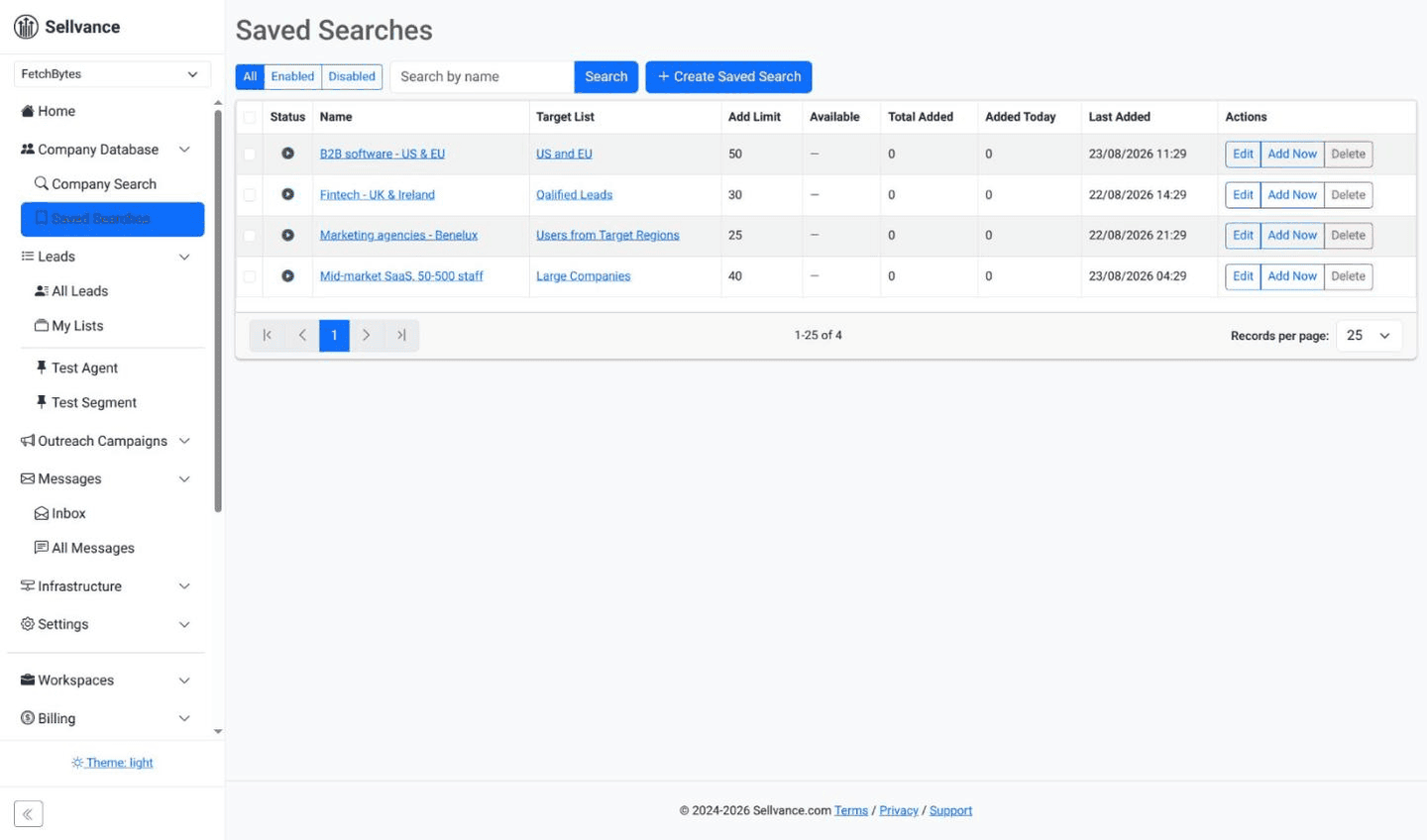
Search by what companies do
Industry codes are too broad for a precise segment. "Software" covers a payroll tool, a game studio and an IT agency. Search company descriptions for the words your segment uses about itself, then read a sample of the results. If some don't fit, tighten the search before you export anything.
Signal-based prospecting
A signal is a public sign that a company has the problem your offer solves. It narrows the segment to companies that need you now, not someday. Useful signals, whatever your segment:
- Job posts — A new role that only exists because of the problem, like a first sales hire or a new operations lead.
- Website changes — New pricing, a new service or plan, a new locations or integrations page.
- Launches — A new product, a new office, a public announcement.
- Communities — People asking about your problem in industry forums, Slack groups or subreddits.
- Funding — A new round often means new hires and new tools.
Treat the signal as part of the segment definition. "Bootstrapped SaaS hiring a first salesperson" is a different hypothesis from "bootstrapped SaaS", and it gets its own experiment.
From signal to segment
- Find the signal — The job post, change or discussion that shows the problem.
- Check the company fits — Size, motion and stage still have to match. A signal doesn't replace the segment.
- Find the persona — The one person at that company who feels the problem.
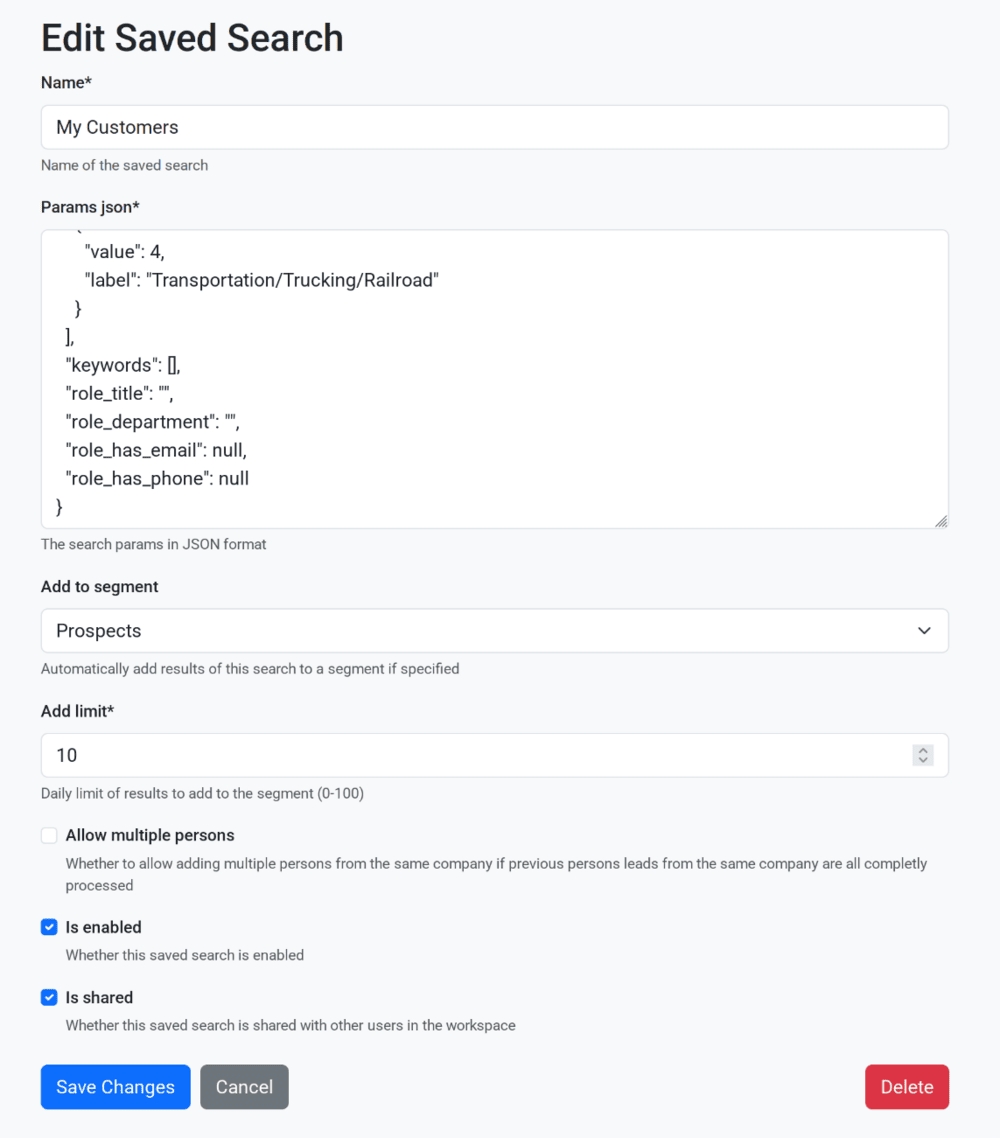
- Record the source — Tag each lead with the signal and date. Keep one segment per hypothesis, so you never mix two in one verdict.
Verify every email
Most B2B data doesn't really know a person's email. It guesses from a pattern like firstname@company.com. Sometimes the guess is right. Sometimes the address doesn't exist.
Sending to a missing address causes a hard bounce. Bounces hurt your sender reputation, and a damaged reputation puts even your good emails in spam. That breaks the delivery you proved in chapter 1. A bounced email also never reached anyone, so it tells you nothing about the offer.
What Verification Does
- Asks the recipient's mail server whether the mailbox exists
- Flags catch-all domains, which accept any address, so no single address can be confirmed
- Flags disposable and role addresses (info@, support@, team@)
- Gives a result you can filter on, so you set your own risk level
A Simple Workflow
- Run every address through an email verifier before it enters a campaign.
- Drop invalid addresses. Drop catch-all domains unless you trust the source.
- Skip role addresses. They don't reach your persona.
Enrich for your hypothesis
Enrichment adds facts the database didn't have. For an experiment, it does two jobs: it confirms each company really fits the segment, and it gives the email something true and specific to say. Enrich for whatever your hypothesis depends on, and nothing more.
From Their Website
- What they sell, and to whom — Their products, services, customers and case studies show their market.
- How they sell — A price list, a quote form or a "book a call" button says a lot about their sales process.
- What changed recently — A new service, location or plan that matches your signal.
From Integrations and Data Providers
- Company details — Size, location and industry where a profile is thin.
- Technology — Which tools they run, when your offer depends on it.
- Team and hiring — Current headcount and open roles, to confirm size and signals.
Clean the data you will use
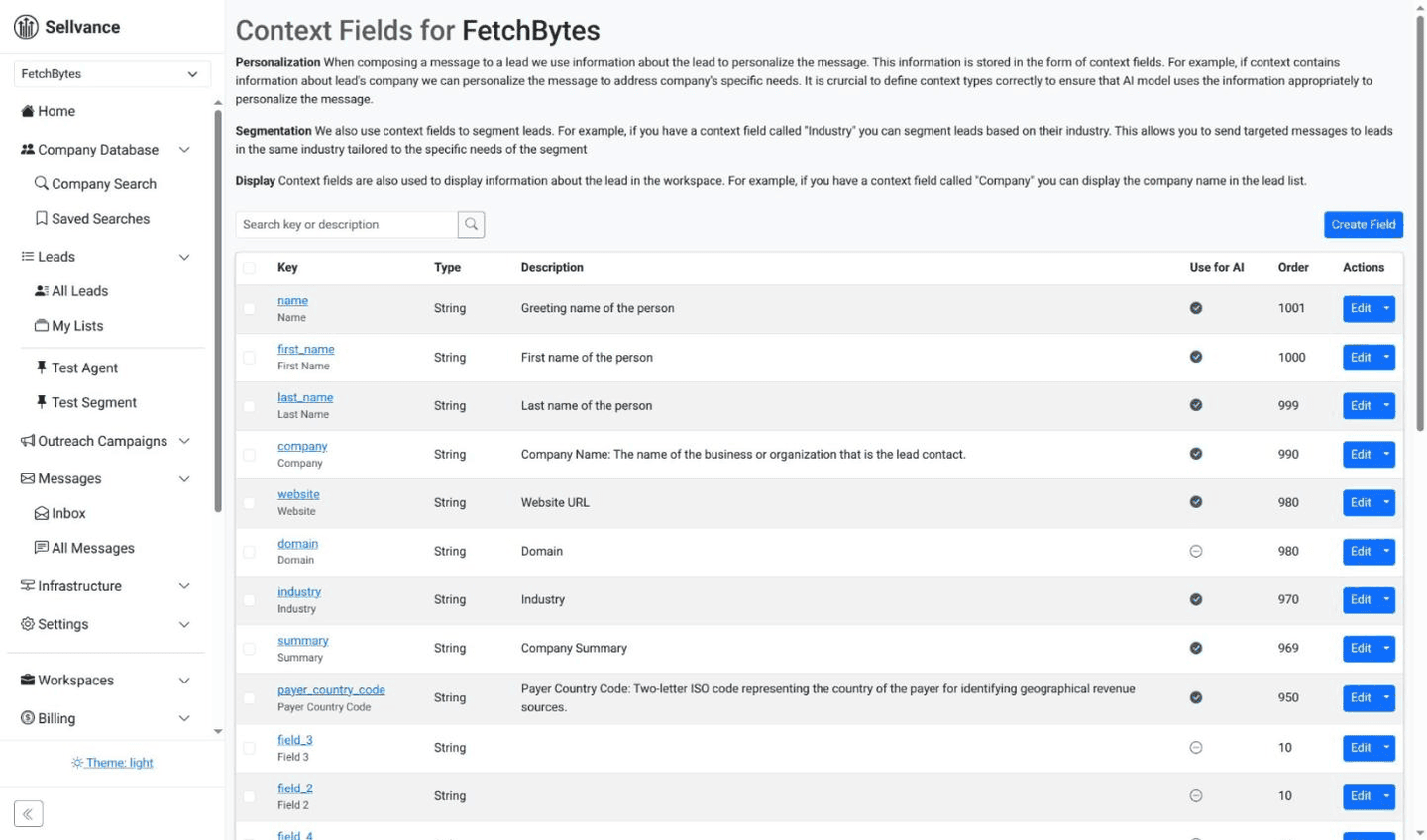
Company names: Profiles list "Sellvance Inc.", "Sellvance — outbound for founders" or a legal entity name. Store the brand name the company uses on its own website. That is the name your email should use.
Job titles: People change roles. Check the persona still works at the company before you email them.
Custom fields: Give every fact your hypothesis depends on its own field, plus the signal and its source. You'll need them to qualify leads and to fill in the email.
Qualify before sending
Every lead that doesn't fit the segment dilutes the result. If a quarter of your sample shouldn't be there, a "doesn't work" verdict may just mean you emailed the wrong companies.
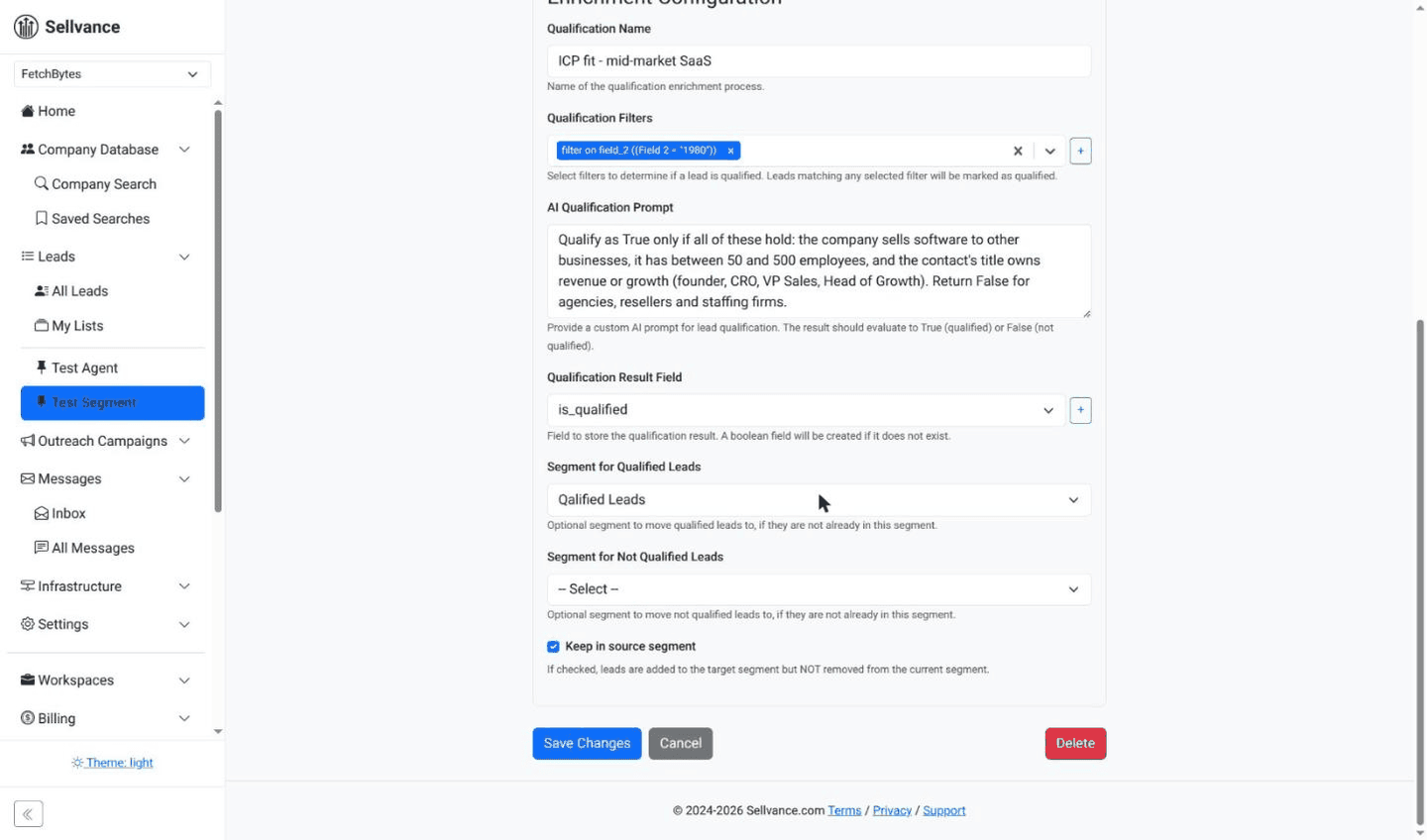
Qualification checks each lead against the written hypothesis, using the enriched fields. AI can do this well at the size of a segment: give it the segment definition and the facts, and ask for a yes or no with a reason. Read a sample of its decisions before you trust it.
Move leads that fail to a rejected list instead of deleting them. They stay excluded from this experiment and from the next one.
Segment checklist
- The hypothesis is written as segment × persona × offer.
- Every company in the segment plausibly has the same problem.
- The sample size was decided before building the list.
- Every previously contacted company is excluded.
- One persona, one contact per company.
- Every email is verified, and the segment was recounted afterwards.
- Every lead passed qualification. Failures are on the rejected list.
The Experiment Playbook walks through the same steps with worked examples.
Sellvance runs enrichment and AI qualification on every lead that enters a segment: website research, email finding and verification, then a qualify-or-reject decision with a reason. Leads that fail are moved out before any message is written.
See enrichment and qualificationBuild a Segment You Can Actually Test
Search companies by what they do, exclude everyone you've already contacted, and qualify each lead with AI before a single email goes out.
Start your first experiment