Your AI agent can run the experiment end to end
Every Sellvance workspace comes with a native Model Context Protocol server. Connect Claude, ChatGPT, Cursor or any MCP client, give it the Experiment Playbook, and it can build the sample, validate the first leads and report the verdict in plain words.






Every step of an experiment, available to your agent
An agent is only as useful as what it can act on. In Sellvance the whole experiment, from the search to the verdict, lives in one product, so the agent never hits a wall between tools.
Build the sample
“Find US software companies with 2–20 people and no sales team.” The agent searches the database and saves the search, excluding companies you've contacted.
Qualify before sending
It sets up enrichment and an AI fit check, so only companies matching the hypothesis reach the campaign.
Write the sequence
“Two steps, one promise, a yes-or-no question.” Sequence and steps, ready for you to review.
Validate the first leads
It adds a handful of leads by hand, previews the messages and runs a placement test before asking you to switch on autopilot.
Watch delivery and harm
It reads the Signal Check daily, and pauses the campaign if delivery or unsubscribes fail.
Report the verdict
At the planned sample it reports works, doesn't work or grey zone, with the numbers behind it.
Built on the open MCP standard, secured by scoped keys
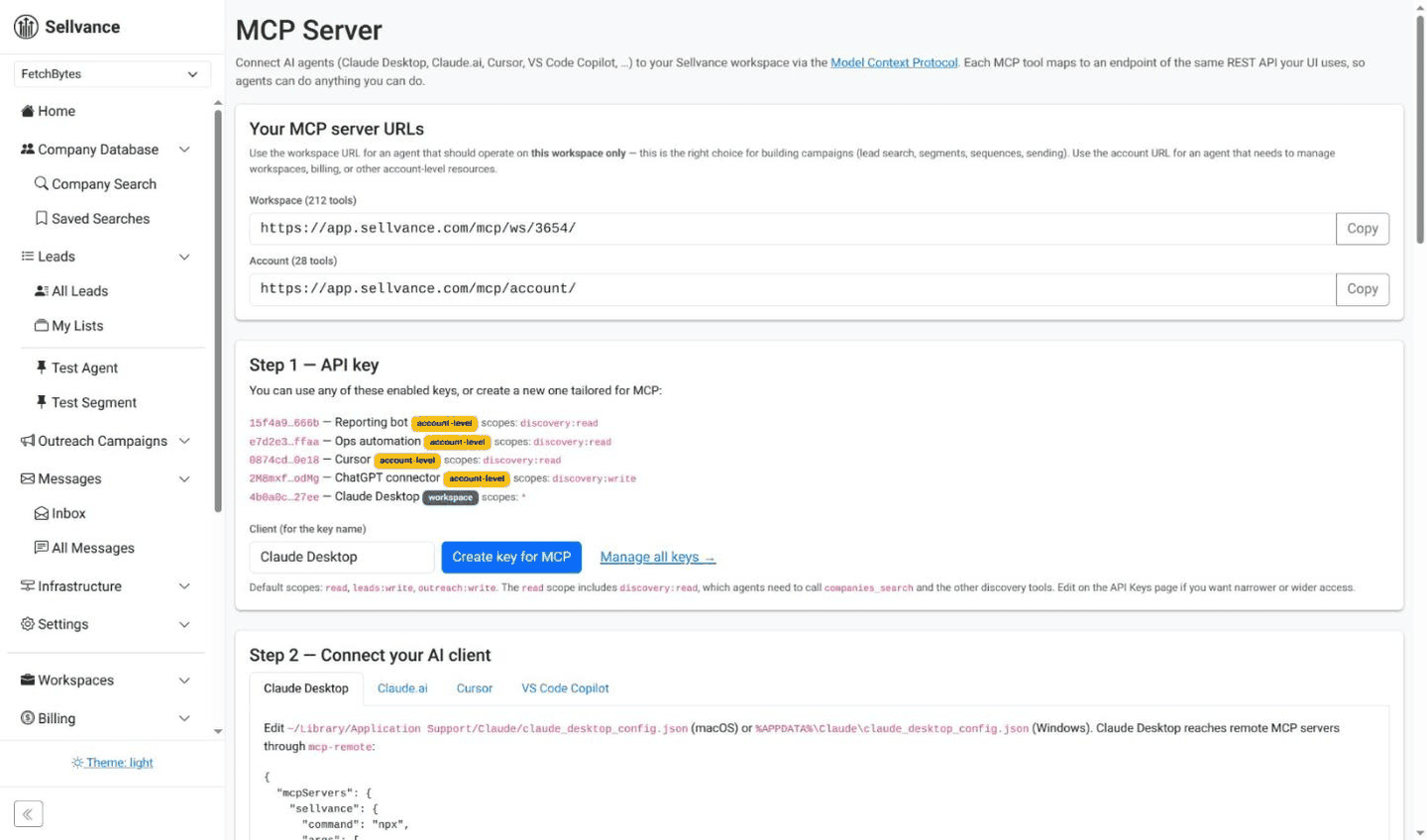
The server auto-generates one tool per public API endpoint, so anything the app can do, your agent can do too. Authentication uses the same scoped API keys as the REST API.
- Streamable HTTP transport. The modern MCP spec — no stdio shims.
- Workspace-scoped URLs. Mount at
/mcp/ws/<workspace>/to sandbox an agent. - Scope filtering.
outreach:read,leads:writeand friends enforced on every call. - A playbook written for agents. Appendix A lists the tool calls in order, with thresholds and what the agent must not do.
Two-minute quickstart
- Create a scoped API key in Workspace Settings → API Keys.
- Copy the MCP URL from Settings → MCP.
- Paste it into your agent's config.
- Ask: “Read https://sellvance.com/resources/experiment-playbook.md and set up an experiment: do UK B2B SaaS CTOs reply to our offer at 5% or more?”
{
  "mcpServers": {
    "sellvance": {
      "url": "https://sellvance.com/mcp/ws/<workspace>/",
      "headers": {
        "Authorization": "Bearer <api_key>"
      }
    }
  }
}
No SDK, no webhooks, no scripts. The agent reads the tool list the moment it connects.
Why agents and experiments fit together
Rules an agent can follow
Targets, sample sizes and stopping rules are numbers and checks, not judgment calls, so an agent applies them the same way every time.
End-to-end in one session
Data, segments, sequences, sending and the Signal Check live together, with no tool boundaries mid-experiment.
Always in sync
A new API endpoint ships, a new MCP tool appears. No integration to update, no SDK to upgrade.
Granular, scoped access
Read-only access to one workspace, or write access to a single resource — your key's scopes decide.
Works with any MCP client
Claude, ChatGPT, Cursor, VS Code, Gemini, or your own in-house agent.
You approve what matters
The playbook tells agents to ask before activating a campaign, switching on autopilot or approving messages.
Hand your agent the playbook
Create a workspace, generate an API key, and let Claude or ChatGPT set up your first experiment while you watch.